Send emails and SMS
with AI agents.
Describe the follow-up you want in plain English. Your agent writes branded emails and texts, picks who gets them and sets the timing. Cadence sends every message on schedule and handles unsubscribes for you.
For any business with a website: online stores, clinics, gyms, agencies, SaaS and home services.

Set it up from the tools you already use.
Describe it once. It runs on its own.
There is no drag-and-drop builder to learn. You say what should happen, your agent sets it up, and Cadence keeps sending.
01
Connect your agent
Connect Claude Code or Codex to Cadence once. One key covers every brand you manage.
02
Describe what you want
Say who should get what, and when. Your agent writes the emails and texts in your brand and builds the audience.
03
Capture your leads
Add one line to your site or connect Zapier. Each new lead from your forms starts the right sequence.
04
Cadence sends
Every message goes out on schedule. A contact who reaches the last step is done until a new trigger starts them again, and opt-outs are always honored.
Add one line to your site
Paste it into your site or Google Tag Manager. New form leads start your sequences automatically.
<script async src="https://setsequence.com/api/public/capture.js?key=cad_pub_…"></script>Everything you need to follow up with leads
Ask for any of these in one sentence. Your agent sets it up, and you can review it in your dashboard before it sends.
Follow up with every lead automatically, without writing the emails yourself.
You say
›Email new trial users what is left to finish setup, then check in on day 3 and day 7.
Your agent sets up
- Three emails written in your brand
- Timing: right away, day 3, day 7
- Starts when your app reports a new trial
What goes out

Trial onboarding
Ledgerly · starts when a trial begins
Day 0Email
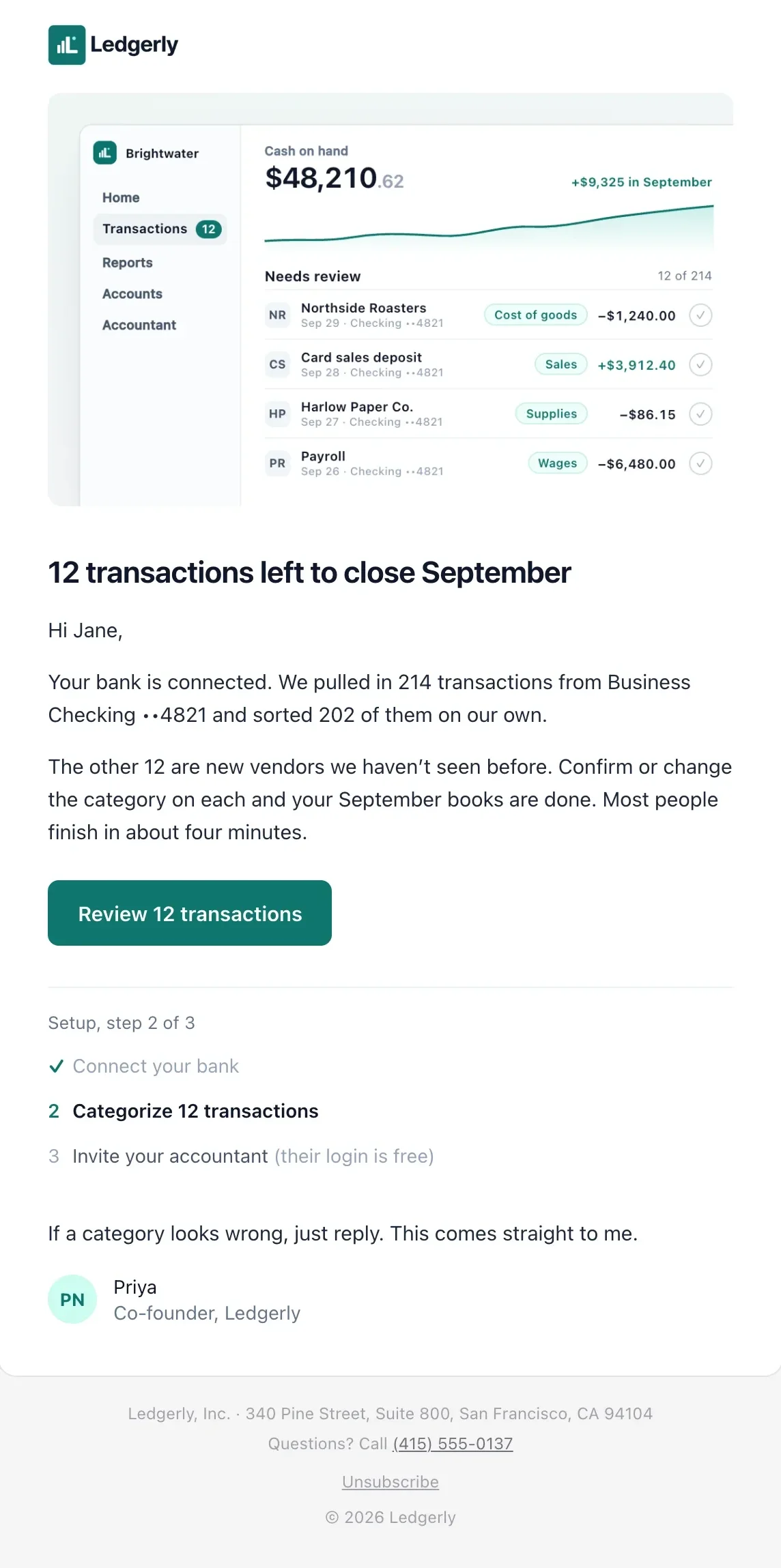
12 transactions left to close September
Your bank is connected. We sorted 202 of 214 transactions on our own.
Day 3Email
Need a hand with the last few?
Most people finish in four minutes. Reply if a category looks wrong.
Day 7Email
Invite your accountant (their login is free)
Give them read-only access so tax season takes an afternoon.
After the day 7 email the contact is done. A new trial starts the sequence again.
Email design
Make beautiful, high-converting emails just by prompting.
No template gallery and no drag-and-drop editor. Describe the email and your agent designs all of it: layout, images, copy and buttons. Cadence adds your unsubscribe footer to every one.
Try a prompt
- Matches your colors and logo from your website
- Personalized with first name, city or any form answer
- Images hosted for you, so they load reliably
- Preview it, send yourself a test, change it with one sentence
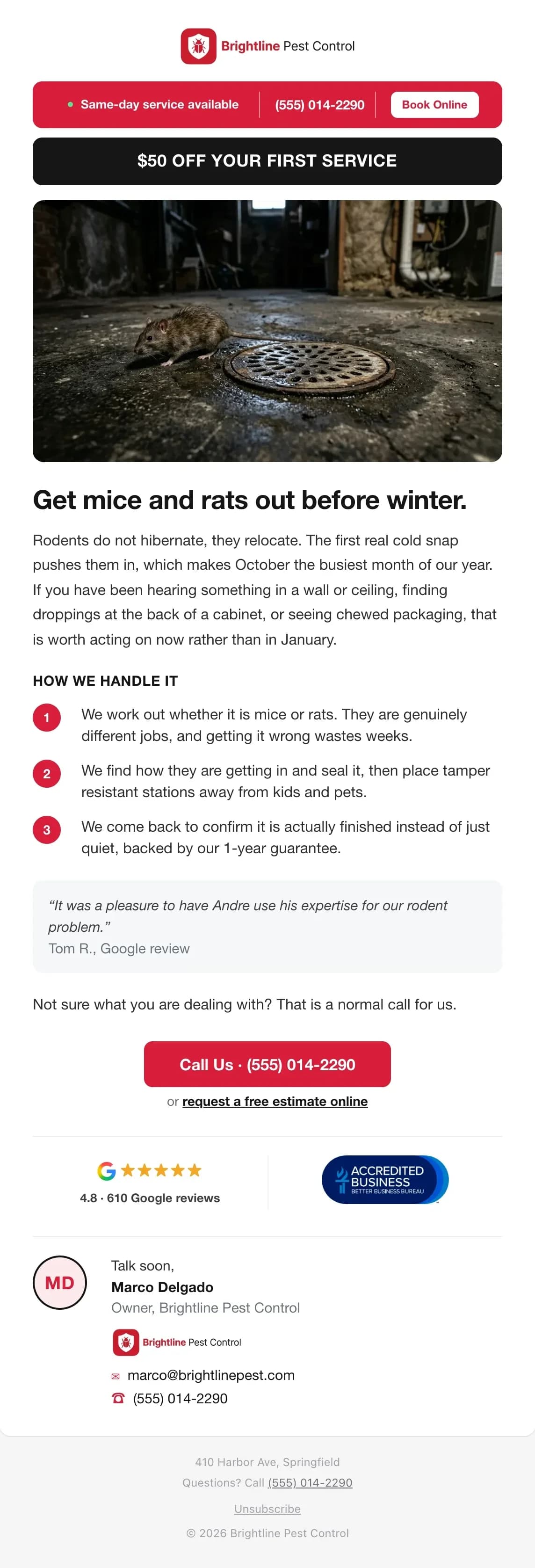
The HVAC and pest control emails are real Cadence customer emails, with names and branding changed. The others are examples.

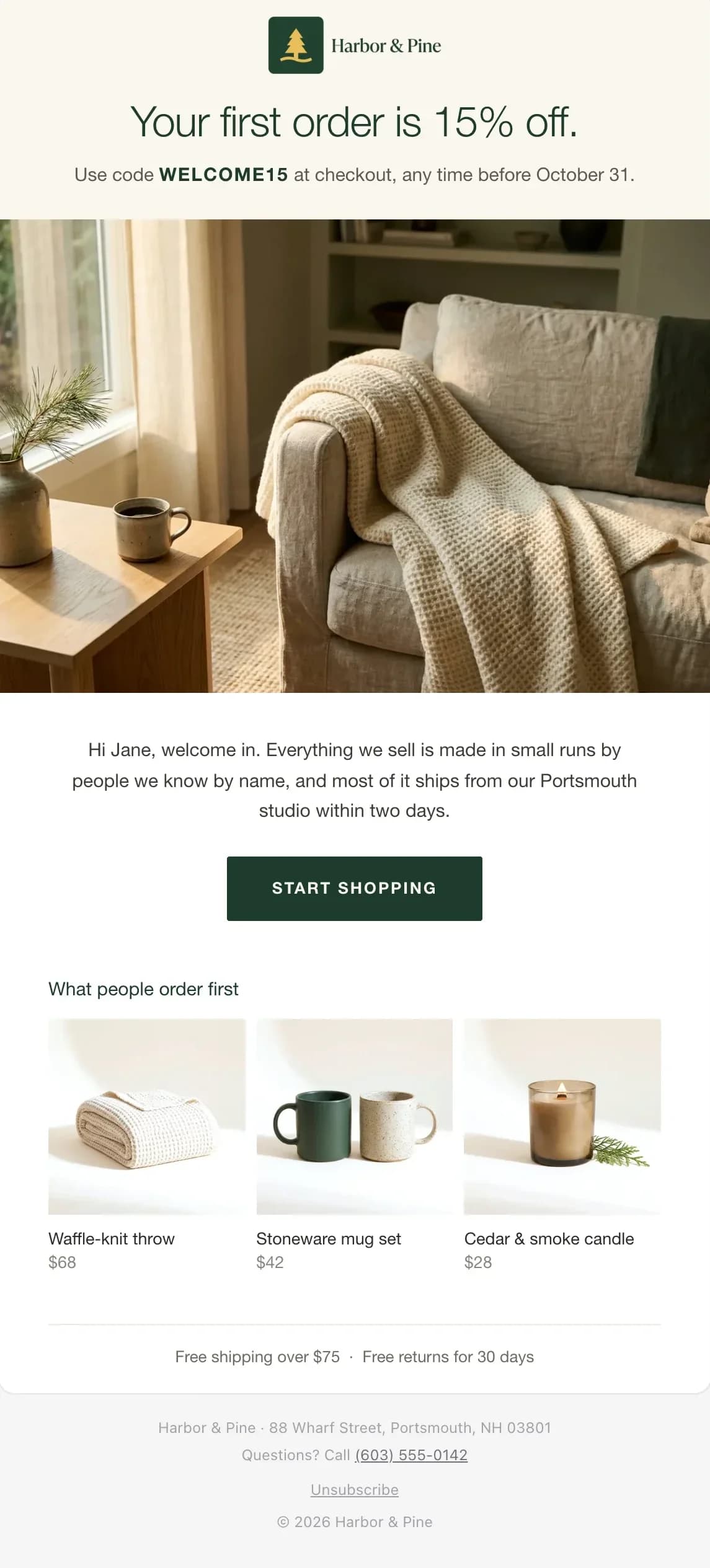
Welcome to Harbor & Pine. Here's 15% off

12 transactions left to close September


$50 off your first service
SMS registration
Get approved to text. Your agent does the paperwork.
US carriers require every business to register before it can text customers (A2P 10DLC). Your agent prepares the registration. If carriers reject the campaign, your agent reads the reason, corrects it and resubmits.
- 1
Your agent fills it in
Business details, sample texts and how people opt in, gathered from you and your website.
- 2
You approve the preview
See the plan, the monthly fee and the exact messages first. Nothing is submitted until you say yes.
- 3
Carriers review it
Cadence submits your brand and campaign and emails you at each step. Review times vary by carrier.
- 4
Your number goes live
Cadence connects a local number once you're approved. Add more area codes any time.
You need an EIN and your own privacy policy and terms pages.
Harbor & Pine
Text messaging registration
- BrandApproved
- CampaignApproved
- Number(919) 555-0142
Sample message
Hi Jane, it's Harbor & Pine. Your 15% off code WELCOME15 ends Friday. Reply STOP to opt out.
Trigger sends from dozens of events
Form fills, new contacts, email opens, orders, bookings, weather alerts, or anything your app or Zapier reports. Tell your agent which one, and it wires it to the right sequence.
- Newsletter signup
- Quote request
- Demo booked
- Trial started
- Order placed
- Cart abandoned
- Appointment booked
- Class attended
- Invoice paid
- Subscription canceled
- Webinar registered
- Contact imported
- Added to VIP list
- Opened 3 emails
- Clicked a link
- Weather alert
- + any event you send
A form is submitted
Someone submits a form on your site with an email field. Embedded forms can connect through Zapier instead.
Newsletter signupWelcome series
A contact is added
A new contact arrives from an import, Zapier or your own app.
New customer from ZapierOnboarding
Someone joins an audience
You add a contact to a list, or a rule adds them when they engage, like opening three emails.
Opened 3 emailsWarm lead offer
Your own event
Your app, Zapier or a webhook reports something that happened to a contact.
Order deliveredReview request
A weather warning
Cadence watches National Weather Service alerts for your area and starts when a warning matches.
Heat advisory, PhoenixCool-down sale
Only the right people
Narrow any trigger to an audience or a form answer, like only Chicago customers or only wholesale signups.
Works with every trigger above.
One trigger can start several sequences at once. A new customer can get your onboarding series and your newsletter welcome.
See what's working. Then test what's next.
Opens and clicks for every template, sequence and broadcast, plus bounces and unsubscribes for every sequence and broadcast. Ask your agent what's performing, and it can set up the A/B test.
New signups
Starts when someone signs up · 3 steps
Sent
2,378
Opened
61.4%
1,460 emails
Clicked
16.1%
384 emails
Unsubscribed
0.3%
7 people
| Step | Sent | Opened | Clicked | Trend |
|---|---|---|---|---|
| Day 0Welcome to Harbor & Pine. Here's 15% off | 812 | 68% | 24% | |
| Day 3Your 15% off ends FridayA/B | 790 | 59% | 15% | |
| AYour 15% off ends Friday | 395 | 54% | 11% | |
| BJane, your code expires in 2 days▲ winner +9 pts | 395 | 63% | 19% | |
| Day 9Why 12,000 customers love Harbor & Pine | 776 | 57% | 9% |
Ask your agent
By template
Every email's results, wherever it's used.
- Welcome68% opened
- Fall promo52% opened
- Newsletter47% opened
By broadcast
See how each one-time send landed.
- sent
- 1,940
- sent
- opened
- 49%
- opened
- clicked
- 12%
- clicked
Who clicked
Open a sequence or broadcast stat to see who did it.
- JRJane Ruizjane.ruiz@example.com2m
- DKDev Kapoordev.kapoor@example.com14m
- ALAna Lopezana.lopez@example.com1h
Connect your agent once
Run one command in Claude Code, or add the server to your Codex config. Then ask for what you need: a new brand, a welcome series, a flash sale. One account key works for every brand you manage.
claude mcp add --transport http cadence \ https://setsequence.com/api/mcp \ --header "Authorization: Bearer cad_acct_…"What your agent can do
Contacts
Import, update and look up contacts
import_contacts · upsert_contact
Audiences
Group contacts by city, source or any form field
create_audience · preview_audience
Emails and texts
Write branded templates and send yourself a test
upsert_template · send_test_email
Sequences
Build follow-ups and A/B test email steps
create_sequence · add_step
Broadcasts
Schedule one-time sends and read the results
create_broadcast · get_broadcast_stats
Phone numbers
Find a number and register it for texting
search_sms_numbers · create_sms_sender
Events
Start sequences from your own events or the weather
send_event · create_weather_watch
Reports
See sends, opens, clicks and who is in each sequence
get_sequence_stats · list_enrollments
Send your first sequence today
Sign up, connect your agent and describe what you want to send. Your agent can have it running in one conversation.